



Parties and voice
Up to eight together. Voice goes from player to player, through a relay only when it must. Push-to-talk on ⌥V works over the game.
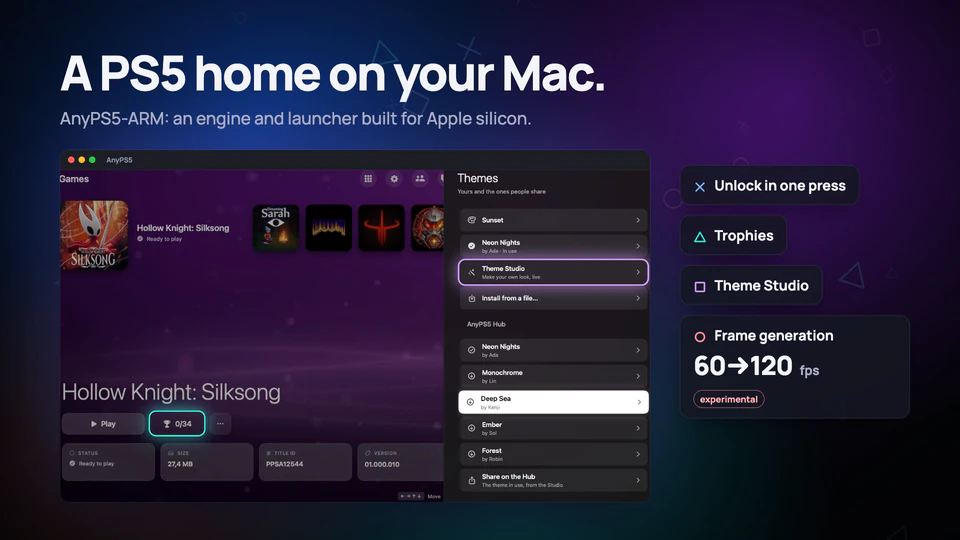
AnyPS5 runs the games you own on Apple silicon Macs, Windows and Linux. Your phone becomes the DualSense. AnyTogether brings everyone in: share play, parties, voice and trophies.
Mac, Windows, Linux, iPhone and Android
The launcher, the phone as a pad, parties, share play and the Hub, filmed as they are.
Music: “Calm Ambient 1 (Synthwave 4k)” by The Cynic Project (CC0)

Both sticks, the touchpad, motion, rumble and the light bar, on the phone you already carry. Four phones are four players, and Remote Play puts the game on the phone's screen, sound included.

New in the Mac launcher and in AnyPS5 Desktop for Windows and Linux.
Play time and trophies go to your profile from every launcher, each trophy with how rare it is among all players.


People in the pictures are made up.
Design a theme in the launcher's Theme Studio: the motion, its colours, a picture or a video behind it, menu music. Share it on the Theme Hub, where anyone installs it with one press. The phone wears it too.
Experimental
On the Mac, a frame is made between each two of the game's, from the motion between them, so a 60 fps game shows 120 on a 120 Hz display. It turns itself off wherever it would cost the game frames.
Free and open source. One AnyTogether account works on all of them.
Apple silicon (M1 or later), macOS 14 or later. Rosetta 2 is installed if missing.
curl -fsSL https://github.com/AnyTogether/AnyPS5-ARM/releases/latest/download/install.sh | shWindows 10 or 11, x64. Installs for your user, no admin needed.
x64, glibc 2.34 or newer (Ubuntu 22.04+). Games need glibc 2.38+.
iOS 15 or later. Install with AltStore, SideStore or Sideloadly.
Open the APK and allow installing from your browser.
Profiles, friends, messages, parties, voice, and watching share plays.
Every line is on GitHub. AnyTogether is MIT licensed and the whole server runs on one machine with Docker Compose; the launchers and the phone connect to it from Settings → AnyTogether → Server.
Built on boykopovar/AnyPS5, the open source PS5 compatibility layer.
# Self-hosting guide
$ git clone https://github.com/AnyTogether/AnyTogether.git
$ cd AnyTogether/deploy && cp .env.example .env
$ docker compose up -d --build
✓ caddy · web · api · realtime · postgres · valkeyAnyPS5 is not an emulator: it relinks a game's own program to run natively, against system libraries written from scratch.
You play decrypted dumps of games you own. No game files, firmware or keys are offered anywhere here, only AnyPS5's own software.
Free and open source. Your data is yours to export or delete from Settings.
Download AnyPS5, sign in once, and your friends are one press away.